


Designed FlowStart, an AI-powered workflow that transforms unstructured ideas into structured tasks, wireframes, and actionable design outputs, streamlining early-stage product development.

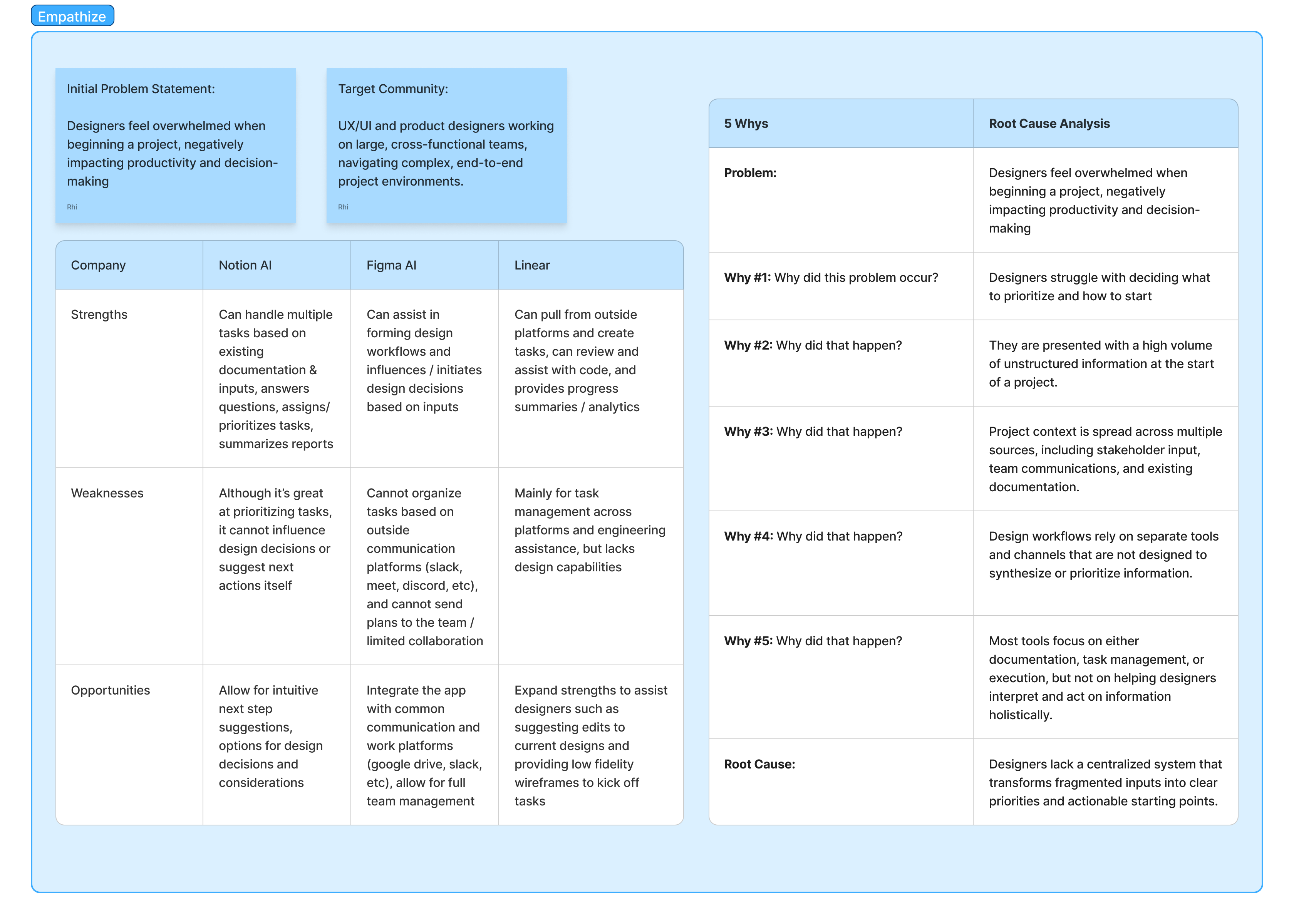
UX/UI and product designers working on large, cross-functional teams, navigating complex, end-to-end project environments.
Designers often start with messy inputs—meeting notes, stakeholder feedback, or vague ideas. Translating that into structured tasks and then into actual design work is both time-consuming and overwhelming.
To reduce ambiguity and help designers move from input to execution faster by:


To understand why designers struggle at the start of projects, I analyzed both user behavior and existing tools.
The core issue wasn’t a lack of tools, but a lack of structure—information is scattered across sources, making it difficult to prioritize and take action.
Through root cause analysis, I identified that designers are forced to manually synthesize inputs before they can begin, leading to delays, cognitive overload, and inconsistent decision-making.
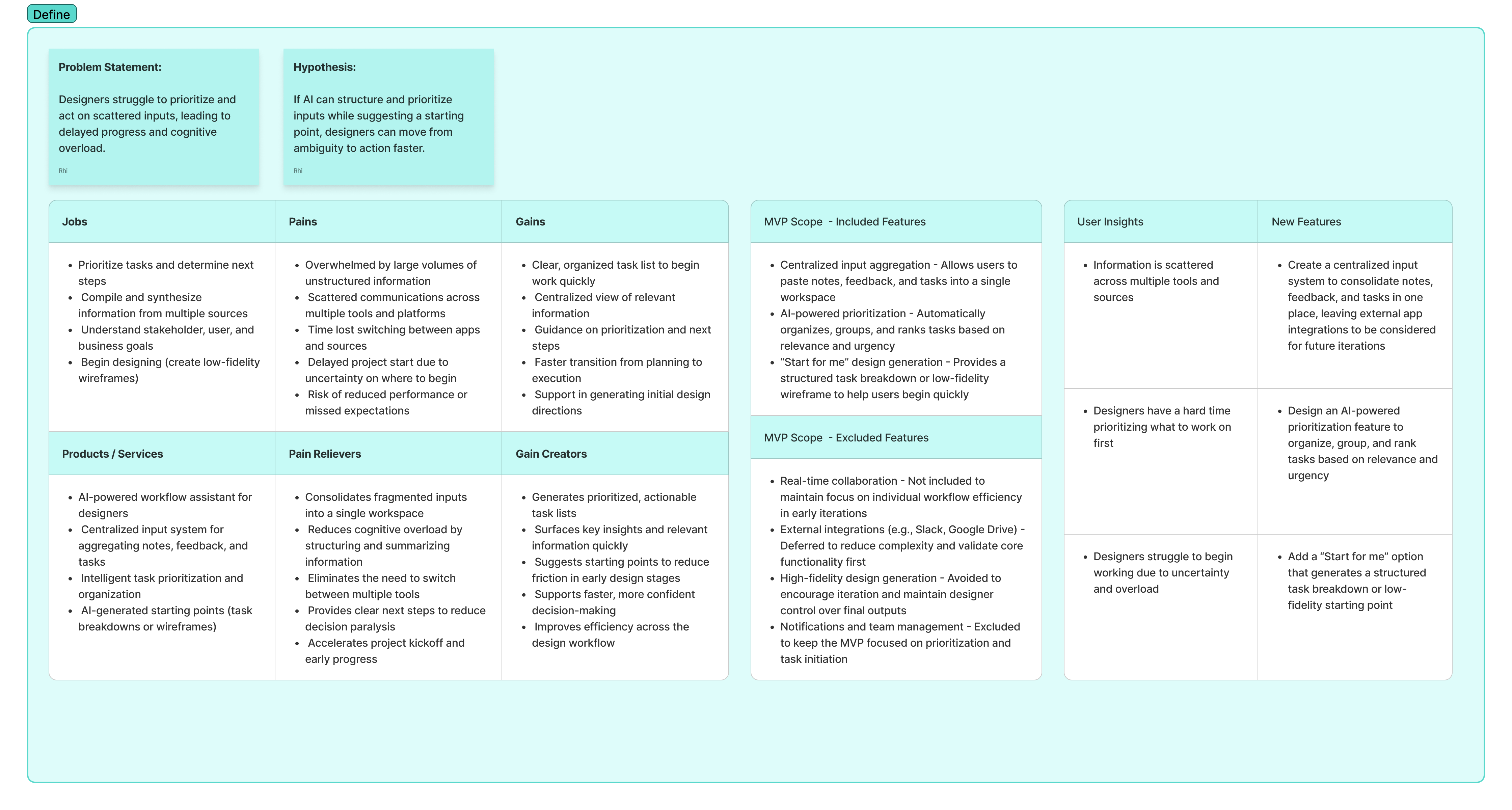
I scoped the MVP around a single core question:
How might we help designers move from ambiguity to action as quickly as possible?
Instead of building a full task management platform, I focused on reducing friction at the earliest stage of the workflow.
This led to three core capabilities:
Features like real-time collaboration and integrations were intentionally excluded to maintain focus on validating the core workflow.
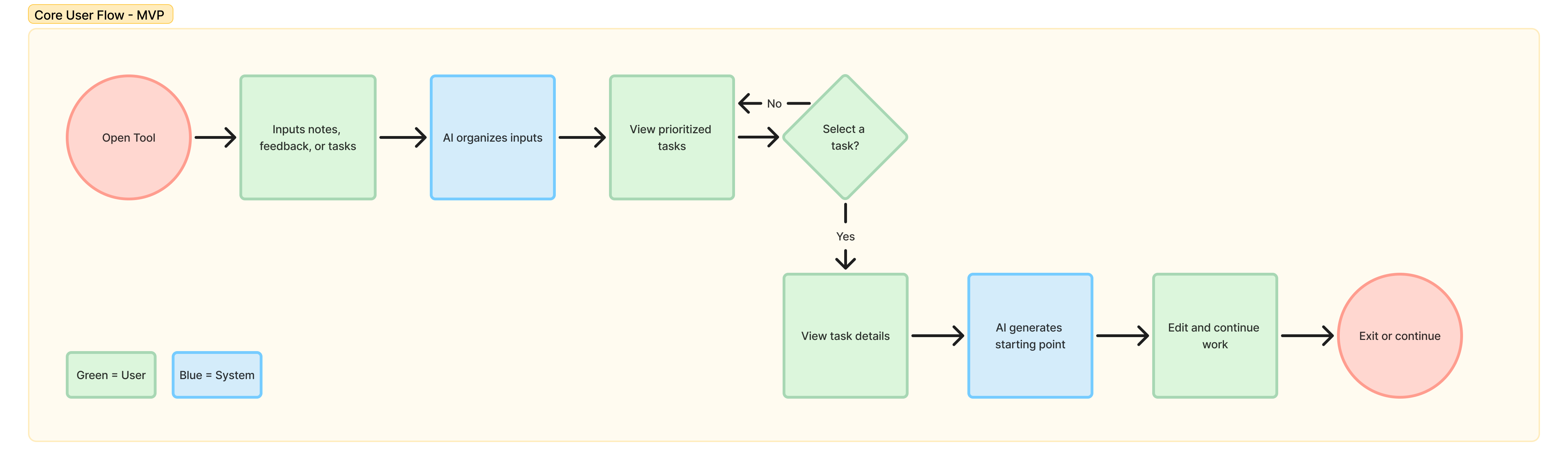
The user flow is designed to mirror how designers naturally move from ambiguity to execution.
Instead of forcing users into rigid steps, the system progressively structures information—starting with raw input, then organizing tasks, guiding execution, and optionally generating a visual starting point.
This flow ensures users can quickly gain clarity, take action, and transition into design work without leaving the workflow.
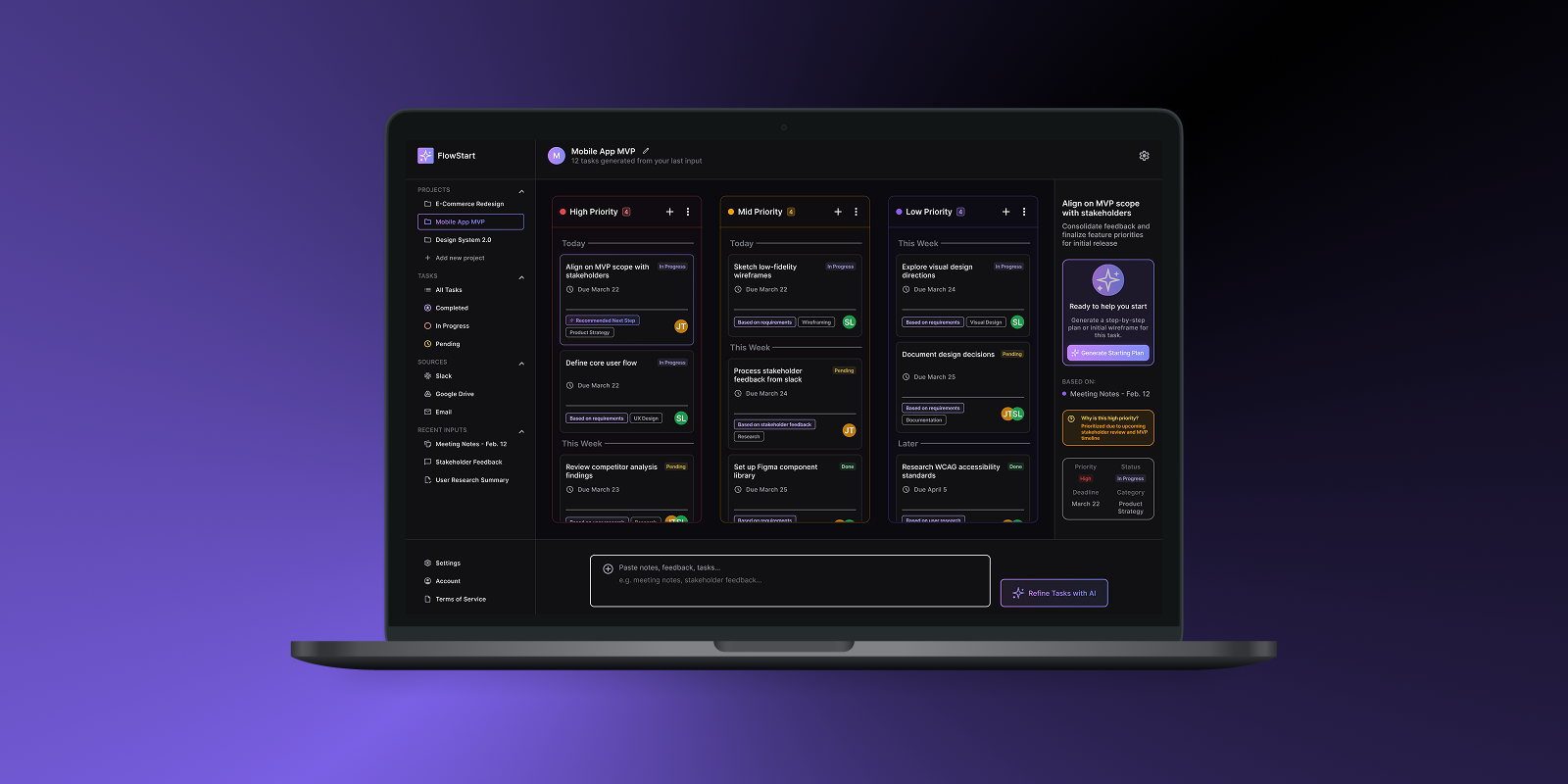
These design decisions focus on reducing ambiguity and helping users move from unstructured input to clear, actionable steps. I prioritized maintaining context, guiding execution, and minimizing cognitive load across the workflow.
I designed AI interactions to feel assistive rather than intrusive, surfacing suggestions contextually instead of overwhelming users upfront.
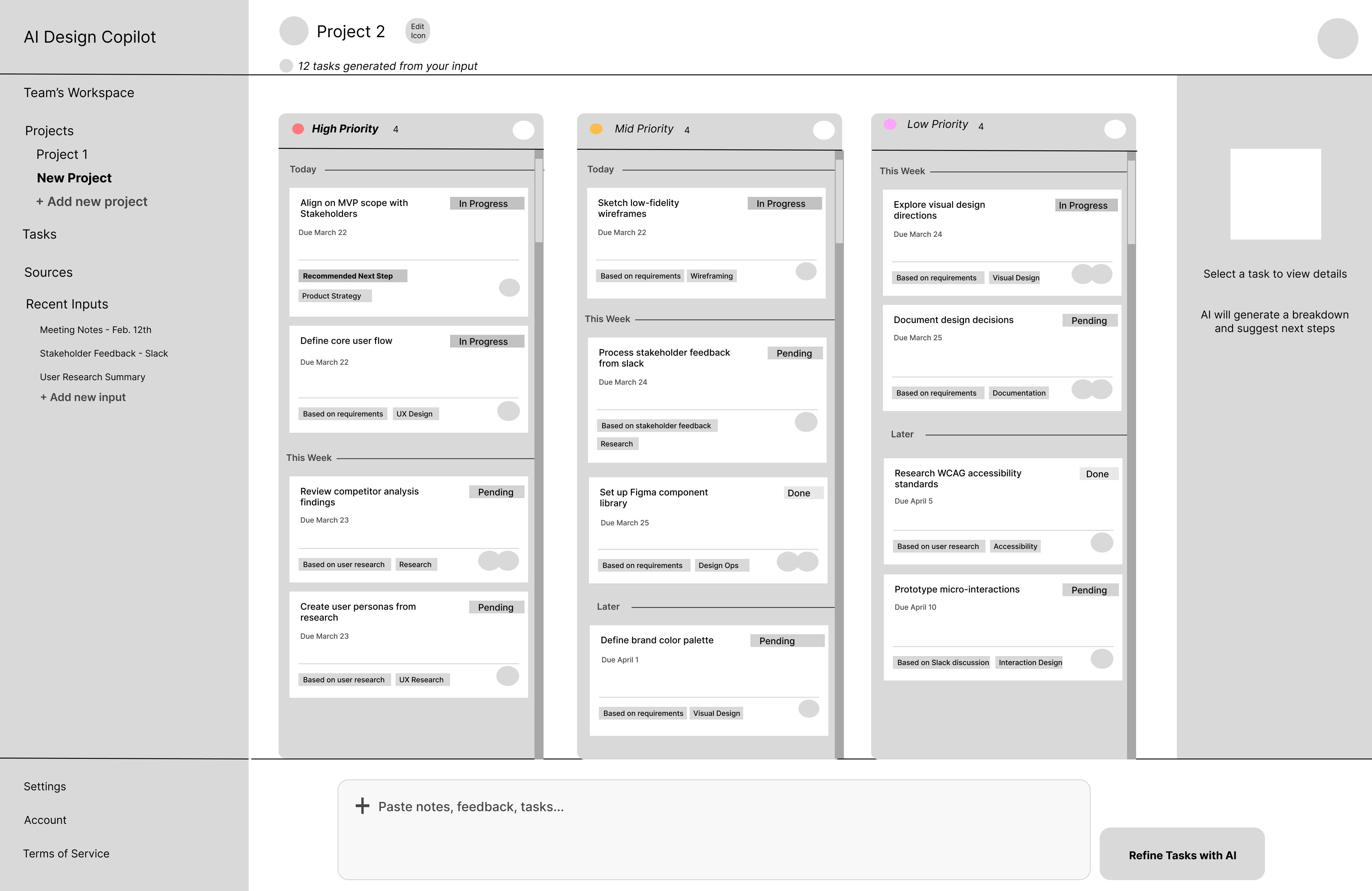
I organized tasks into High, Mid, and Low priority columns to reduce cognitive load and help users quickly focus on what matters.
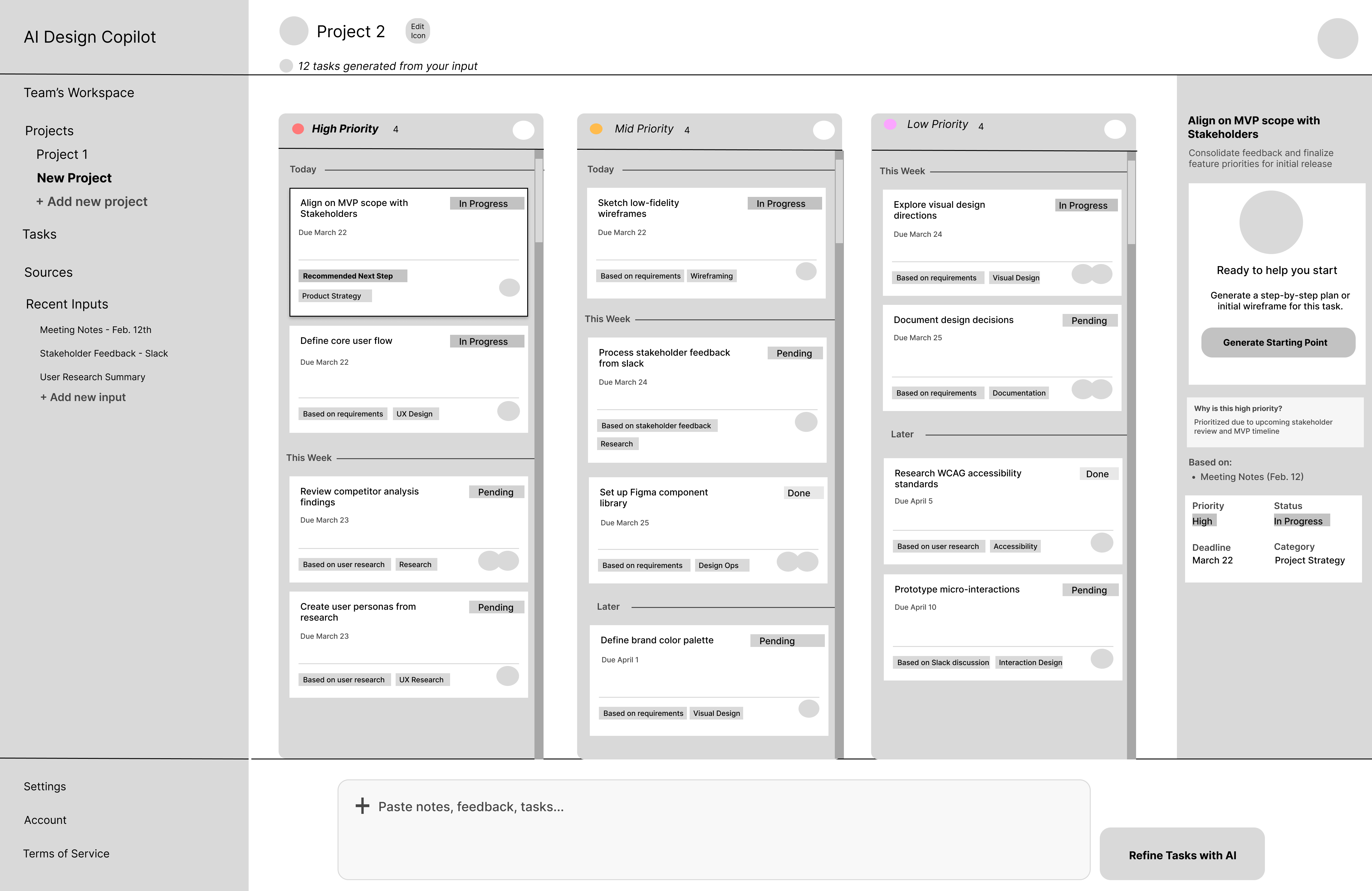
Instead of navigating away, task details and AI suggestions appear in a side panel, keeping users in context while exploring actions.
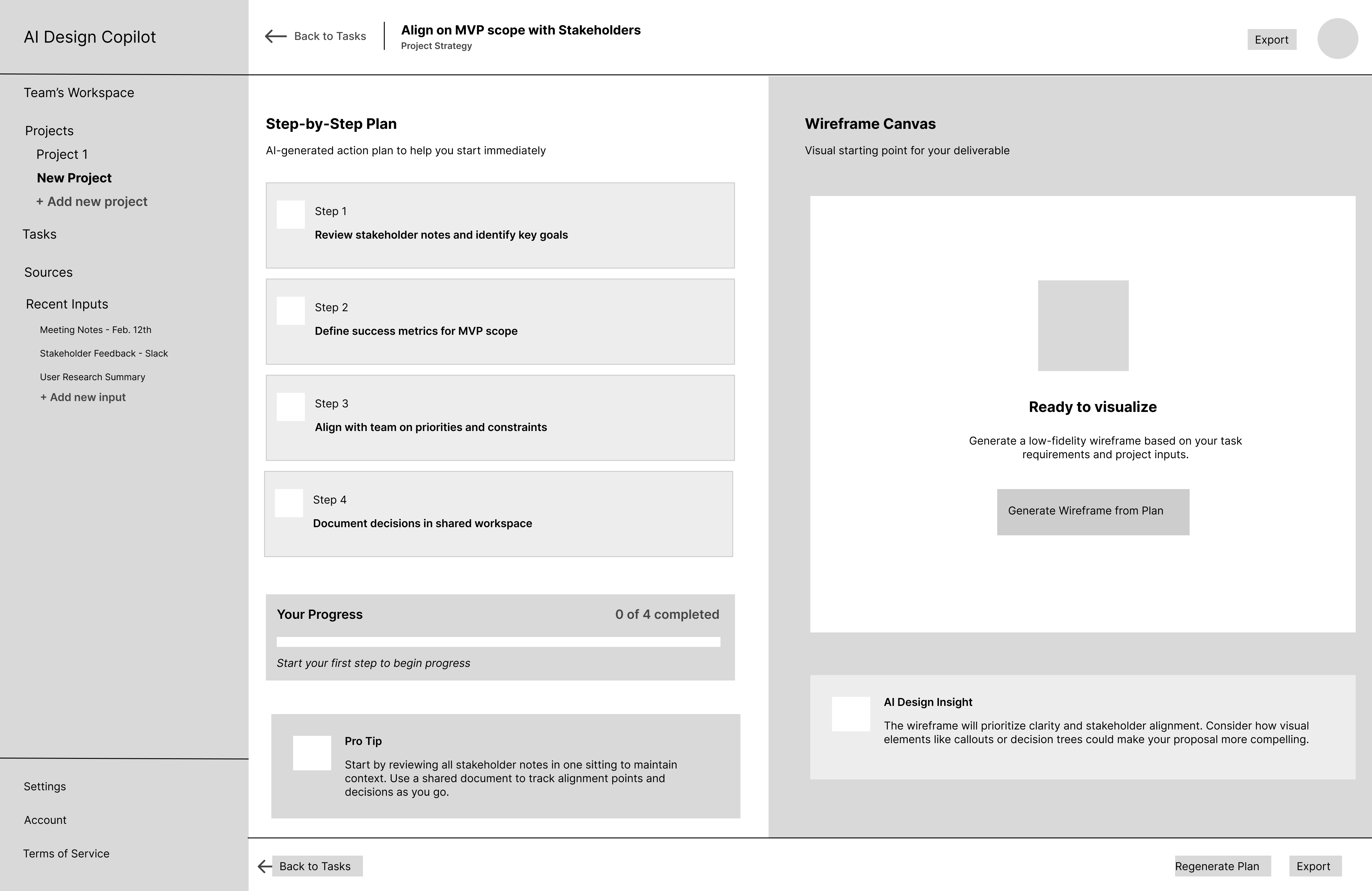
I introduced a guided plan to bridge the gap between abstract tasks and actionable execution. I also paired structured planning with optional wireframe generation to help users move from planning to execution without leaving the workflow.
To maintain clarity and validate the core workflow, I made several tradeoffs:

These decisions ensured the product remained focused on solving the initial problem effectively.
I developed a consistent visual system to support clarity and hierarchy, including:
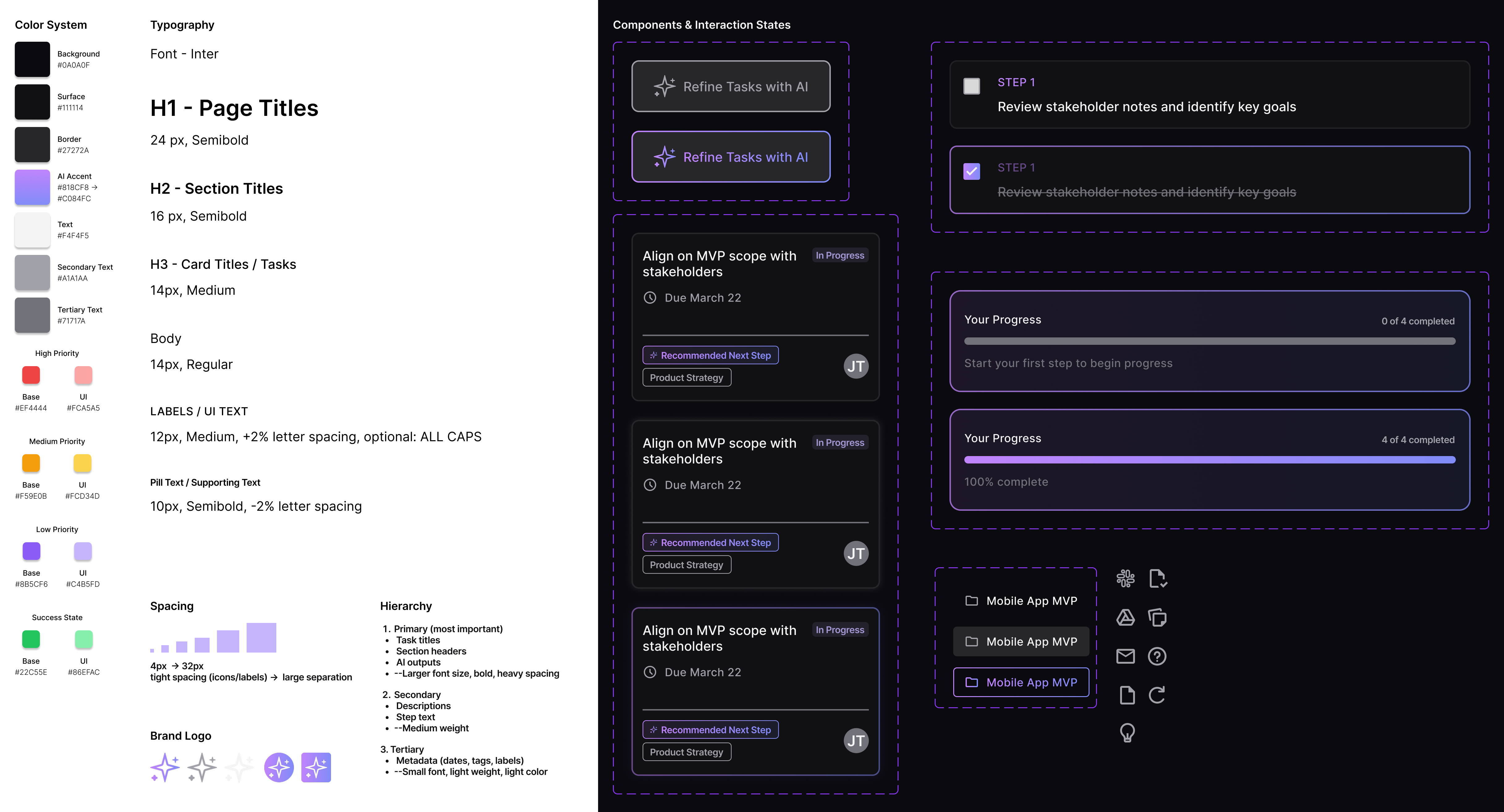

This project explores how AI can support designers in early-stage workflows by reducing ambiguity and accelerating execution.
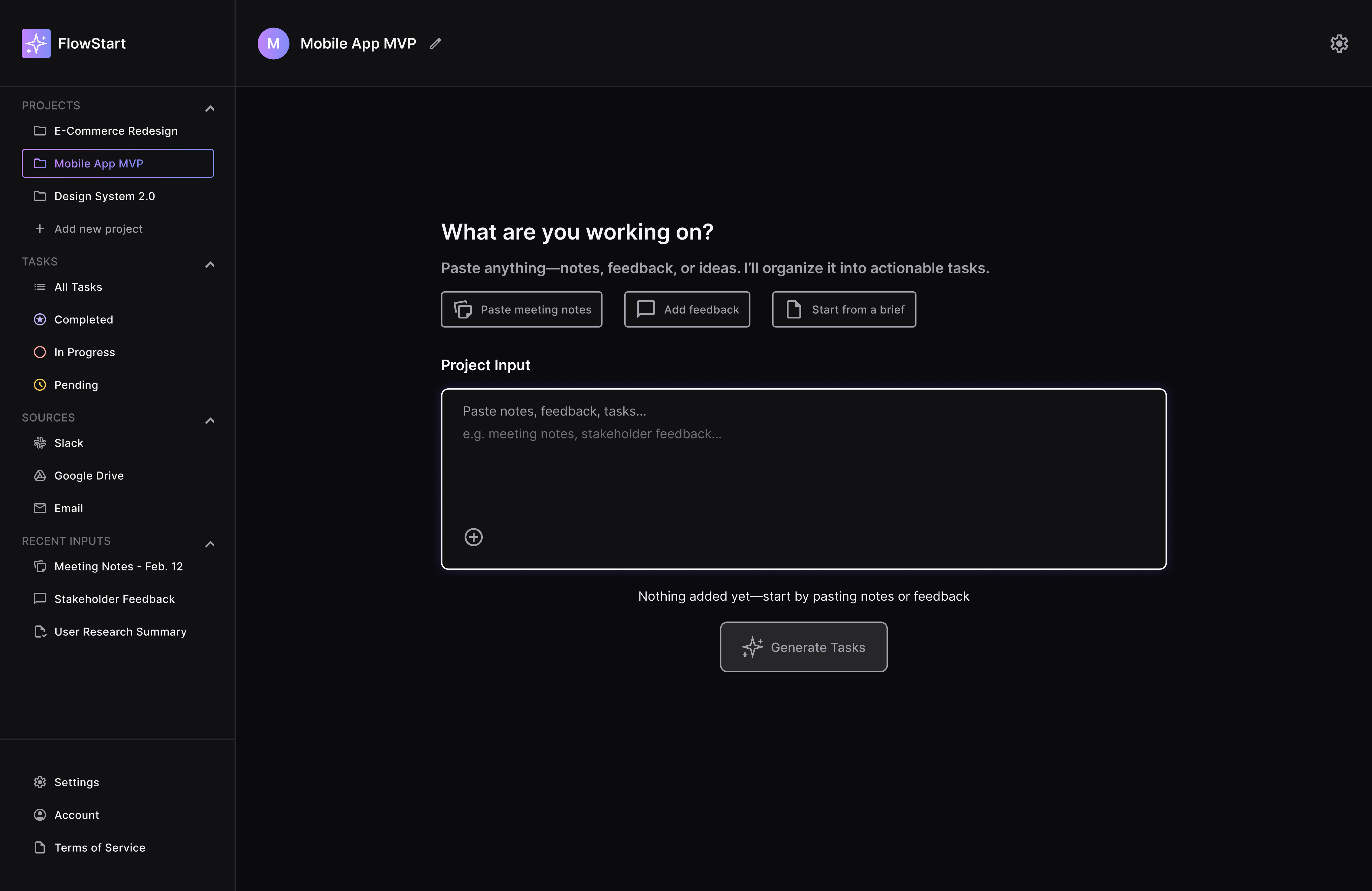
User view upon opening the FlowStart tool
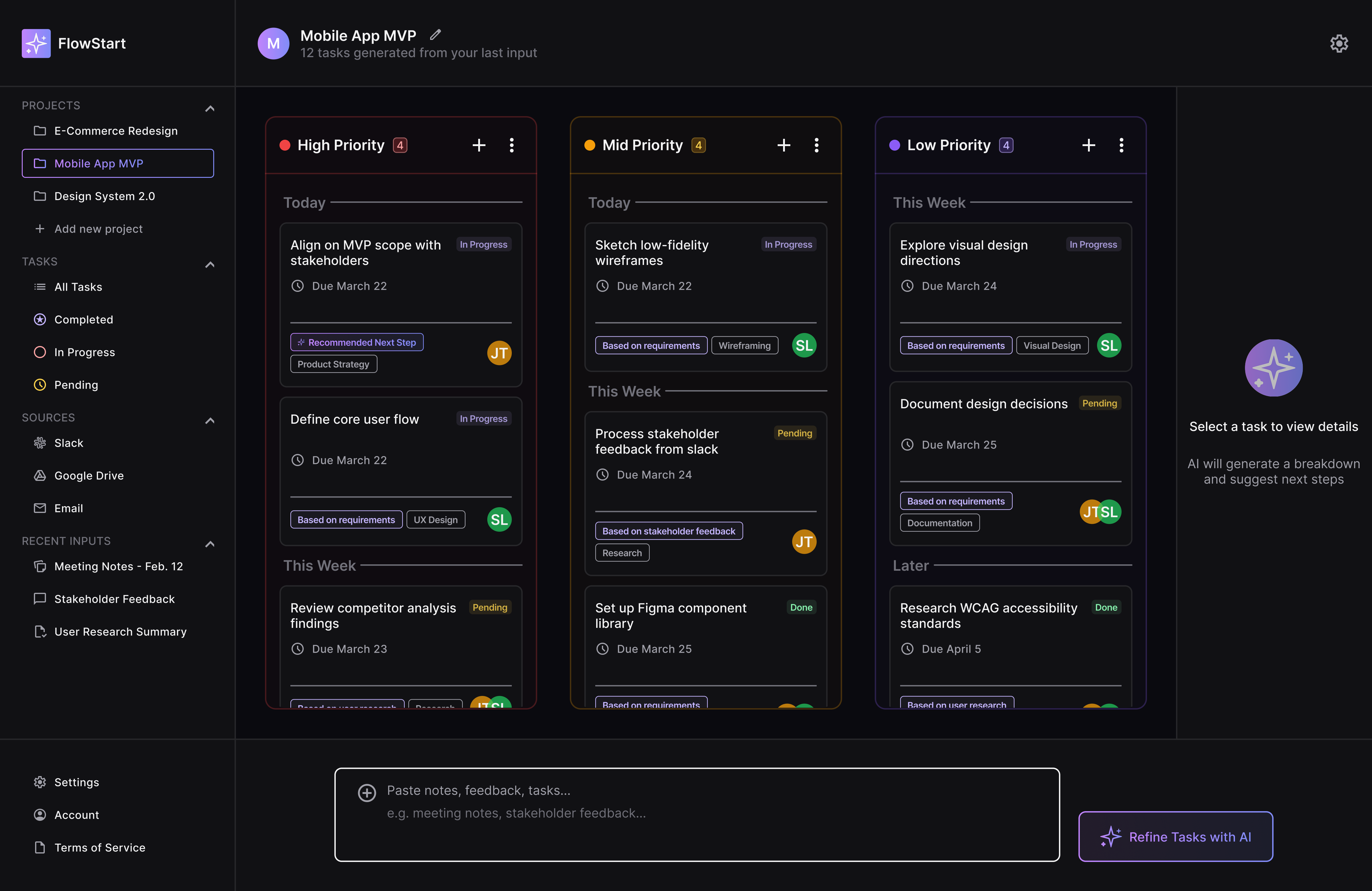
AI prioritization and organization of tasks
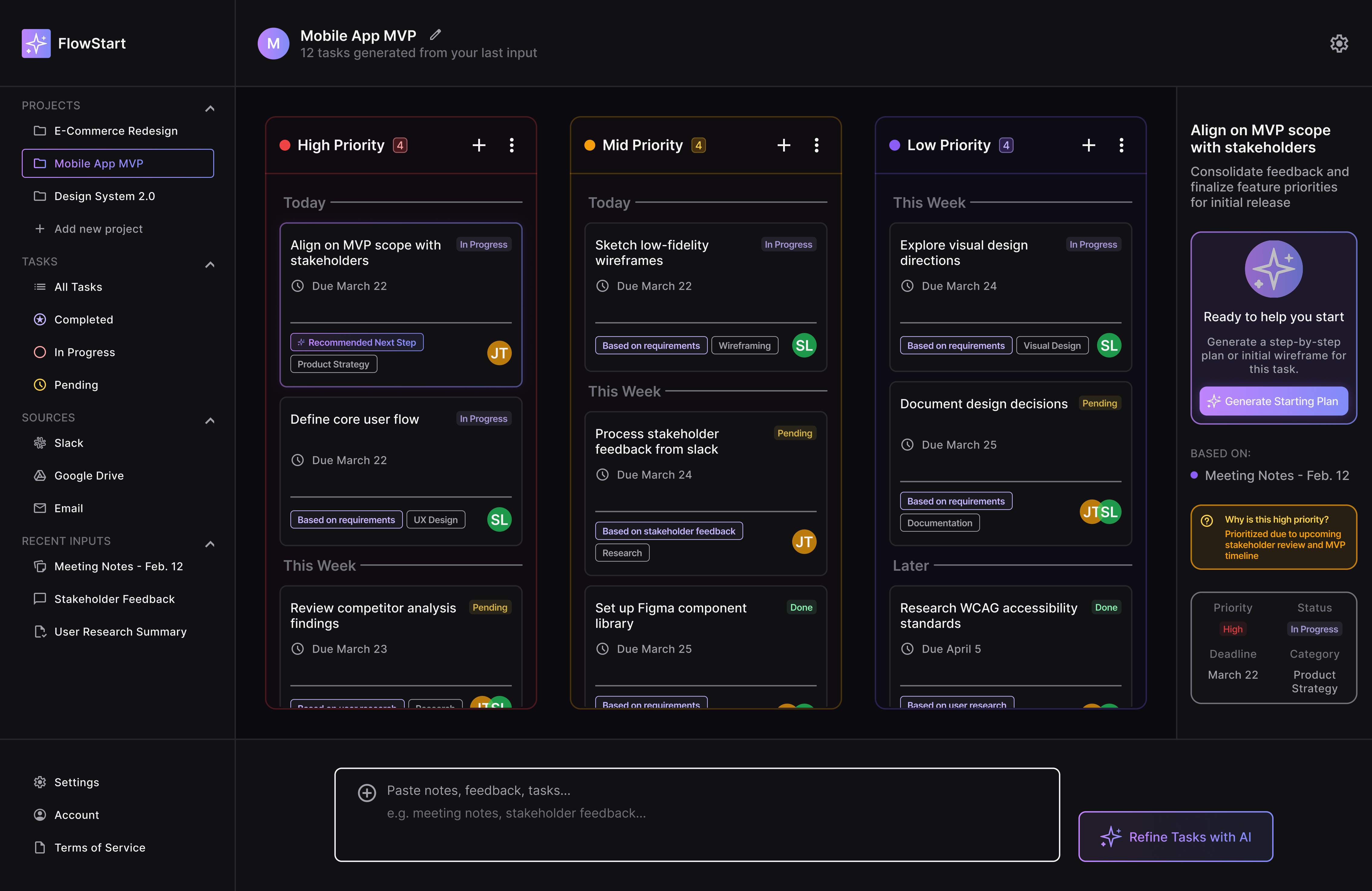
User entering task view mode that enables right-hand panel
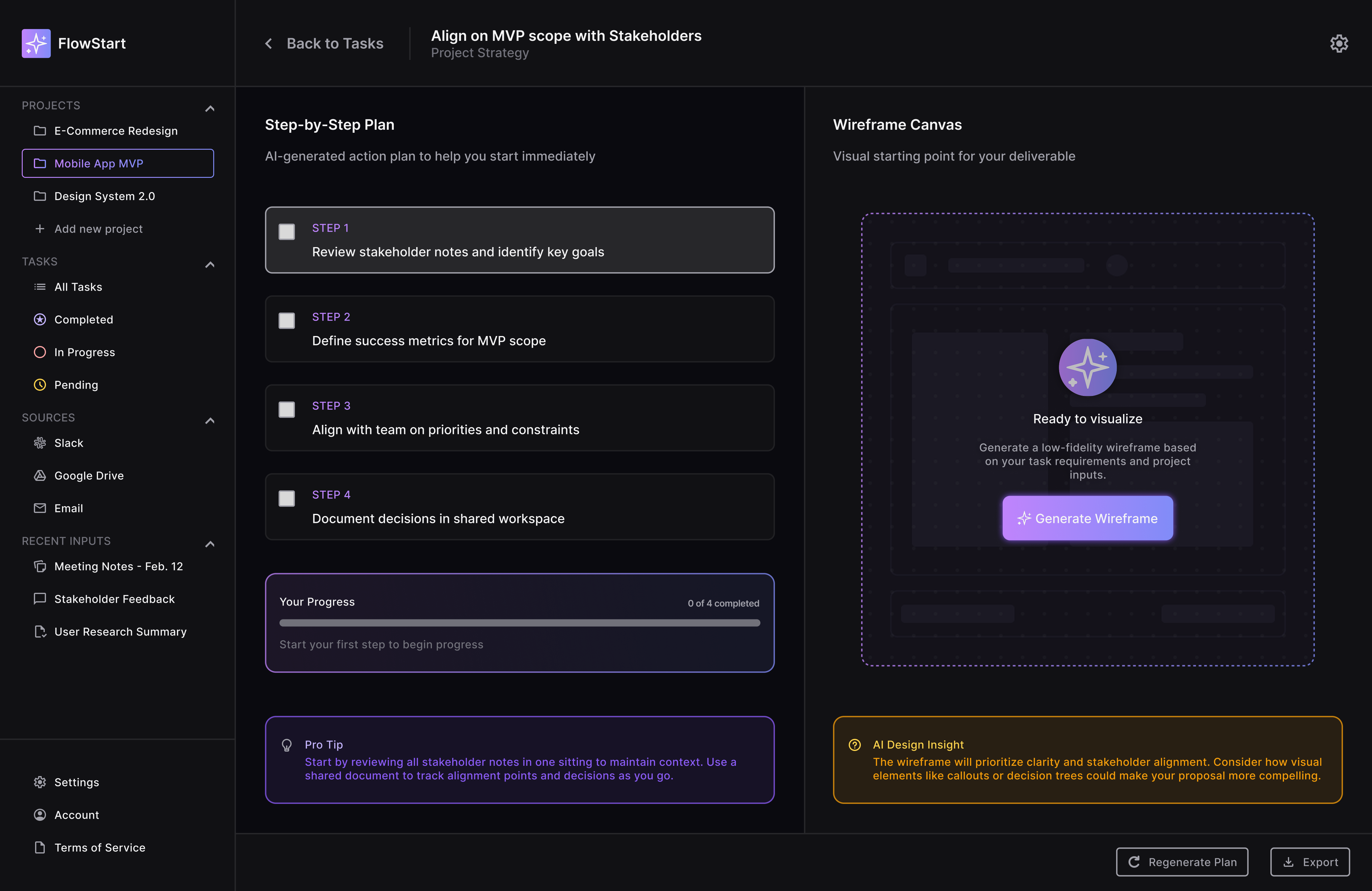
AI generation of step-by-step plan for designers to follow along with optional wireframe generation
This concept demonstrates how AI can reduce friction in early-stage product workflows by helping designers move from unstructured input to execution more efficiently. The solution prioritizes clarity, speed, and usability while maintaining user control.

This project explores how AI can support designers in early-stage workflows by transforming unstructured inputs into prioritized tasks, guided execution plans, and visual starting points.
By focusing on clarity, context, and progressive guidance, the solution reduces ambiguity and helps users move from planning to execution more efficiently.
AI was used to reduce manual synthesis and accelerate early-stage decision-making, allowing designers to focus on higher-level problem-solving rather than organization.
With more time, I would validate the workflow through user testing, focusing on:
These iterations would help ensure the product scales beyond individual use and fits into existing design workflows.
Crafting digital experiences that blend creativity with functionality. Specializing in UI/UX design and interaction design.
.svg)